Showing posts with label Snowflake. Show all posts

Sunday, November 18, 2012

Faux Snow Snowflake Ornament

This is a quick and easy ornament project.  It is very kid friendly.  These would be great as teacher gifts, or write a personal message on the back and use them as gift tags.  These paper mache snowflakes are available at Hobby Lobby.

I started by painting the snowflake white with acrylic paint.  After that dried I sprayed the front side with Helmar V2 Vellum Adhesive.  While the adhesive was still wet, I placed the snowflake on a clean sheet of paper and sprinkled on the Faux Snow.

I shook off the excess snow and put it back in the jar.  Then I sprinkled the ornament with Art Glitter Ultra Fine Glitter - Pearlescent - #183 Blue Angel.  The glitter filled in any spaces on the adhesive that the snow had not filled.

Then I used purple and blue printed card stock to stamp "Let it Snow" and glued it to a purple backing.  I used Art Glitter Designer Dries Clear Adhesive (DDCA) to attach the card stock to the snowflake.  I finished with a swirl of rhinestones from Want2Scrap.  I used a little of the DDCA on the areas of the rhinestone swirl that extended over the "snowy" surface.

Thanks for stopping!


Tuesday, October 9, 2012

Glittered Acrylic Snowflake

I'm beginning to gear up for Christmas with an acrylic snowflake ornament.  For this project I used:

Clear Scraps Acrylic Snowflake from the Gingerbread Banner set,  Sizzix Embossing folder and Big Shot, Art Glitter Designer Dries Clear Adhesive (DDCA), Art Glitter Ultra Fine Opaque - #268 - Horizon,  mix of coordinating papers, Sizzix Bigz Die - Tattered Flowers, Connie Crystal - Octagon Crystal AB, Want2Scrap Beautiful Bling Borders - Fancy Waves

Begin be tracing the snowflake onto your background paper and cut paper to fit.  This paper is from Kaisercraft.  Set the paper aside for a bit.

Place the snowflake in embossing folder and run through the embossing machine,

Remove the protective plastic from the backside of the acrylic, fill the recessed areas of the design with DDCA and cover with Art Glitter.  Shake off the excess.

Once the adhesive has dried, turn the snowflake back over and use DDCA to glue the cut paper to the back of the acrylic.  You only need a little glue - I put a drop at the end of each arm of the snowflake and a little bit behind the embossed area.

Run coordinating papers through the die cutter using the Tattered Flowers die cut.

Spritz the paper flowers with a little bit of water.  Use a toothpick to round the ends of the petals.  Let dry.

Assemble the flower by layering alternating papers and gluing each in place with DDCA.  


Use DDCA to glue Connie Crystal octagon bead to the center of the flower,


Finish by gluing adding Want2Scrap bling to each of the tips of the snowflake.  (don't forget to remove the protective plastic from the front of the acrylic, if you haven't already!)  Glue the flower in place.  Punch a hole in the paper at the top (there is already a hole in the acrylic) and add an eyelet.  Tie silver ribbon in place for hanging.

Visit the Clear Scraps blog for more great acrylic projects!

Thursday, August 30, 2012

Let it Snow! Let it Snow! Let it Snow!!!

I'm finishing out Red Rubber Designs' Christmas in August with my favorite winter theme - Snow!  Growing up in Chicago, it seemed like we had constant snow from November through March.  It's actually one of the things I miss most.  If it's going to be cold, it might as well be white!


For this mixed media board, I started with blue paper from the Sands of Time Cardstock Collection - tinted with blue and purple alcohol inks.  I used Red Rubber Design's "Snowflake" stamps and "Peace on Earth" stamps to create a background -  stamping a random pattern of snowflakes and "Peace on Earth" in Palette Inks - Charcoal and 
Beaux Arts  Blue.  Then I heat embossed some large snowflakes with silver embossing powder.  The letters for "Let it Snow" are from the Distressed Typewriter Bet Set and stamped in Beaux Arts Blue on pale grey card stock.  I finished with a few snowflake do-dads that I had in my stash drawer.  (and yes, do-dad is the technical term)


Thursday, August 23, 2012

Snowflake Pendant

Christmas in August continues at Red Rubber Designs.  For this project I've used one of this month's featured stamp sets - Snowflake Set.

To make the pendant, I rolled out purple polymer clay and pressed my pendant setting face down into the clay to mark the outer border.  Then I stamped the snowflakes, without ink, into the clay.  To fill some of the empty areas, I used a dull pencil and added extra dots.  Then I used a clay blade to cut the pendant just inside the guide marks I had made with the pendant setting.  After baking the clay, I rubbed the surface with a rub-on silver, leaving the recessed snowflakes in purple.  I finished by gluing the clay into the setting and adding a jump ring and cord.

Christmas continues all month at Red Rubber Designs, but Pam's Birthday Sale only goes on for four more days!  Hurry and take advantage of some great deals!  50 items are marked at 50% off!  Free shipping for orders over $50.00 (continental US) and $5.00 shipping on orders under $50.00.  Plus all stamps have been marked down!


Saturday, August 18, 2012

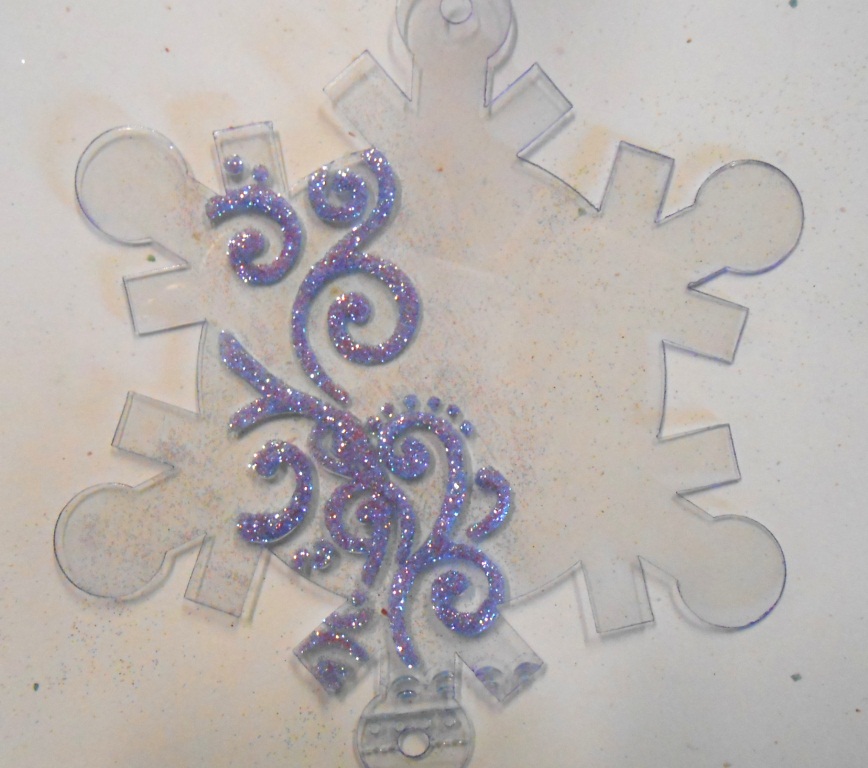
Glittering Snowflake Ornament

By far, of my favorite theme is Holiday decorating is snowflakes!  Today I'll be sharing one of what, I'm sure,  will be many snowflake-themed projects.  This is a super quick and easy project, not to mention fairly inexpensive.  These snowflakes are great as ornaments, embellishments for cards or layouts, or tie them onto your packages for a little extra pizazz.  Of course, the ornaments are cool, but glitter makes them great!

For this project I used:  a Snowflake from Clear Scraps Mini Snowflake album, Sizzix Snowflake Embossing folder, Sizzix Big Shot embossing machine, Art Glitter Designer Dries Clear Adhesive (DDCA), and Art Glitter Ultra Fine Transparent Glitter - #86 Angel Dust.


Begin by placing the acrylic snowflake in the embossing folder so that the snowflake pattern is centered on the acrylic.  Run it through the Big Shot.

After embossing, remove the protective plastic from both sides of the acrylic.  Placed the snowflake on your work surface so that the embossed snowflake is face down and the recessed snowflake is face up.  Using a fine metal tip on your DDCA, begin filling the recessed areas of the snowflake

If you work quickly, you can fill the entire snowflake with adhesive and then cover with Angel Dust glitter.  If you work slowly, stop after one or two sections and add the glitter so that you can be sure your glue is still wet and the glitter will adhere properly.  Shake and tap off the excess glitter.
Run a line of DCCA around the outer edge of the snowflake and sprinkle on more Angel Dust glitter.

Lie flat to allow adhesive to dry thoroughly.  The glue is still wet and milky white here.

Once the glue dries, the glittered areas are much more translucent - like a crystal snowflake.  Add a ribbon for hanging.

This is another snowflake ornament that I have made using Art Glitter and Clear Scraps Acrylic.  It is a larger and slightly more involved project.  The full instructions are on the Art Glitter Blog today.  Please go check it out!